
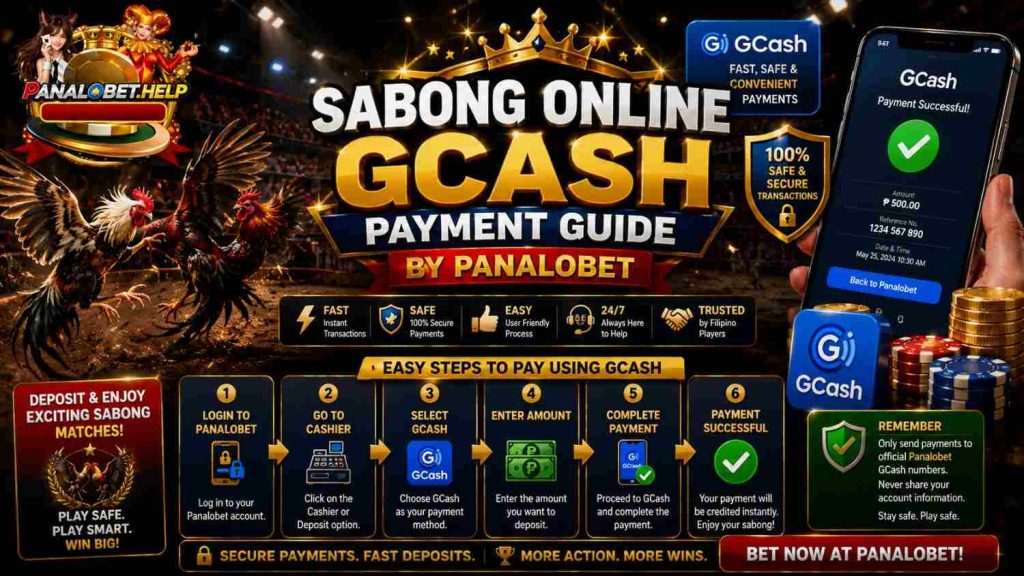
Panalobet attracts plenty of players who follow live sabong matches and want a simple way to move money in and out. GCash handles most of that work for them. This guide covers the real steps people use when dealing with Sabong Online Gcash payments on the site. Nothing fancy, just what usually works.
Getting GCash Ready
Almost everyone already has GCash these days. If the account is new, open the official app and register with a Philippine mobile number. Finish the full verification when possible. Higher limits kick in and fewer transfers get stuck later.
Loading the wallet is easy. Bank transfer from BDO, BPI or similar accounts moves money fast. Cash-in at 7-Eleven, Cebuana or other partner stores works too. Some just receive money from another GCash user. Once the balance shows, the account is good to go on Panalobet.
Putting Money In for Sabong
Join Panalobet account first. The deposit option sits in the main menu or near the wallet section. Pick GCash from the payment list. Type the amount. Most times the minimum sits around ₱100, though it can shift.
Confirm the details. The system either opens the GCash app or sends a request that needs approval. Open GCash, check everything looks right, then approve with the PIN or fingerprint. Funds normally land in the Panalobet balance within a few minutes. Hit refresh if the number does not update right away.
A couple of practical notes:
- Double-check the GCash balance covers the full amount before starting
- Save the reference number from the successful transfer
- Finish the whole process before any countdown ends
People who stick with Sabong Online Gcash for regular play find the steps become quick after the first try or two.
Linking GCash so Withdrawals Move Faster
Withdrawals run smoother once the GCash details sit saved on the Panalobet account. Head to the withdrawal or wallet area and look for the add payment method option. Choose GCash. Enter the mobile number registered on GCash plus the full name exactly as it appears there.
Submit and wait for the confirmation. Only one GCash number stays linked at a time. Switching later means deleting the old one first. Matching names between both accounts stops most common delays.
Moving Winnings Out
When the time comes to cash out, go back to the withdrawal section. Select the linked GCash option and enter the amount. Submit the request. Verified accounts often see the money arrive in 30 minutes to a few hours, though times can stretch depending on volume. From GCash the balance can stay in the wallet or transfer out to a bank.
Name mismatches and missing verification cause most of the holds. Sorting those early prevents headaches.
Common Snags and What Usually Fixes Them
Sometimes a deposit takes longer than expected. Check the GCash history first. If the payment went through there but the Panalobet balance stays the same, message support and include the reference number. The same approach works for withdrawals that sit pending.
GCash limits can also block things. Unverified or lower-tier accounts hit monthly caps. Full verification removes most of those restrictions.
Keeping Transactions Smooth
Stick to the official Panalobet site or app. Never share GCash PINs or one-time codes. Turning on notifications in the GCash app adds an extra layer of awareness. Setting personal deposit limits helps keep spending under control during longer sessions.
Records of bigger transactions prove useful if questions come up later. A simple screenshot of the confirmation is often enough.
Wrapping Up the Process
The combination of live sabong streams and quick GCash payments keeps the experience practical for many players. Deposits land fast enough to join ongoing matches. Withdrawals return funds without long waits when the account stays properly set up. Following the steps above covers the main points most people need. The whole process stays reliable as long as the GCash wallet and Panalobet profile stay verified and the details match.